

Understanding Printer Error Messages and What They Mean
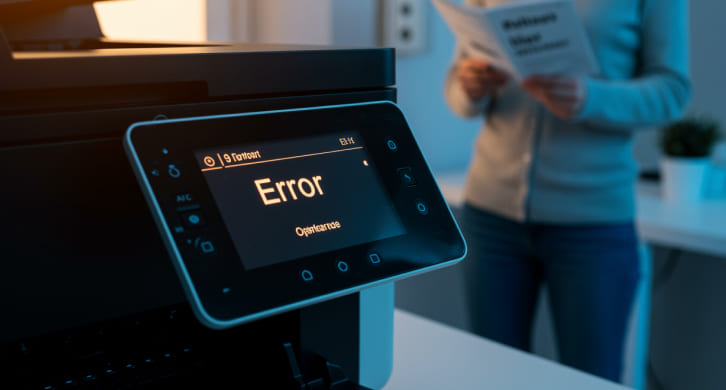
Printer error messages can be confusing, especially when they appear suddenly and interrupt a print job. These messages are designed to alert users when something requires attention, but the wording is often technical or unclear. Understanding what common printer error messages mean helps users respond appropriately without unnecessary guesswork or concern.
Why Printers Display Error Messages
Printers rely on internal sensors and software to monitor their operation. When something prevents normal printing, the printer displays an error message to stop further activity and avoid potential damage. These alerts may relate to paper handling, supplies, connectivity, or internal status checks.
Error messages are not always signs of serious problems. In many cases, they are reminders that a simple adjustment or check is needed before printing can continue.
Paper-Related Error Messages
One of the most common categories of printer errors involves paper handling. Messages related to paper jams, empty trays, or incorrect paper size often appear when the printer cannot feed paper properly. These errors may occur even if the paper is loaded, especially when sheets are misaligned or the tray settings do not match the document being printed. Removing and reloading paper, adjusting guides, and confirming tray settings usually resolve these messages.
Ink and Toner Warnings
Ink or toner-related messages appear when supplies are low, missing, or not detected. These warnings help prevent incomplete prints or damage to internal components. Some printers may pause printing when ink or toner reaches a certain threshold, while others allow limited printing. Messages may also appear if cartridges are installed incorrectly or if protective seals are not fully removed during installation.
Connectivity and Communication Errors
Wireless and network printers often display error messages related to connectivity. These messages may indicate that the printer cannot communicate with the computer or network. Such errors commonly appear after network changes, signal interruptions, or router restarts. Verifying that the printer is connected to the correct network and restarting devices can often clear these messages.
Driver and Software-Related Alerts
Software-related error messages usually occur when the printer driver is outdated, incompatible, or unable to communicate properly with the operating system. These alerts may appear as generic error codes or messages stating that the printer is unavailable. Updating or reinstalling printer drivers from the manufacturer’s official source can often resolve these issues. Restarting the system after updates helps apply changes correctly.
Maintenance and Status Notifications
Some error messages are informational rather than urgent. These may include reminders for routine maintenance, alignment, or cleaning cycles. While these messages do not always stop printing, ignoring them for extended periods may affect performance or output quality. Understanding which messages require immediate action and which are advisory helps users prioritize responses.
Interpreting Error Codes and Symbols
Many printers use numerical error codes or symbols instead of detailed text. These codes correspond to specific conditions detected by the printer. Referring to the printer’s user manual or on-screen help menu can provide explanations for these codes. While codes may seem technical, they are designed to point users toward the affected area.
When Error Messages Repeat Frequently
If the same error message appears repeatedly despite basic checks, it may indicate an underlying issue that requires closer attention. Repeated paper or supply errors could suggest worn components or configuration mismatches. Observing when the message appears, such as during startup or mid-print, can provide clues about the cause.
Staying Calm and Systematic
Error messages are meant to prevent further issues, not create confusion. Taking time to read the message carefully and addressing it step by step reduces the risk of unnecessary actions. Avoid forcing components or bypassing warnings, as this may cause additional problems.
Error Messages Are Guides, Not Just Warnings
Printer error messages are tools designed to communicate specific conditions that need attention. By understanding common error categories and responding thoughtfully, users can resolve many issues quickly and maintain smoother printer operation. Recognizing that most messages point to manageable factors helps reduce frustration and keeps printing tasks on track.